Every experiment in its own color, the whole week at a glance
Each task has a color; each step has a cell. Mark a step complete to remove its background color and bring the remaining work into focus.
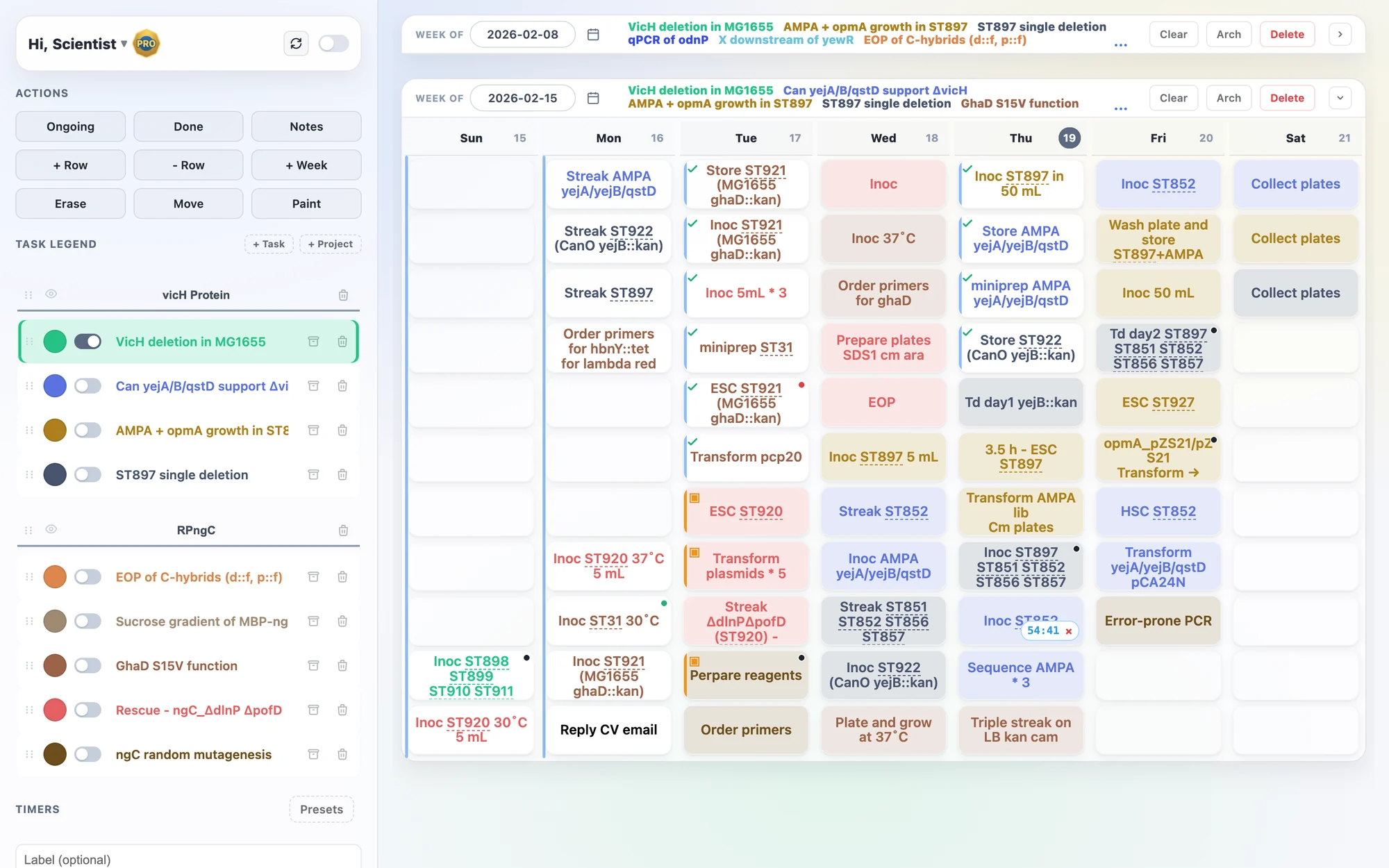
A week in color. A day in columns.
Each task has a color; each step has a cell. Mark a step complete to remove its background color and bring the remaining work into focus.
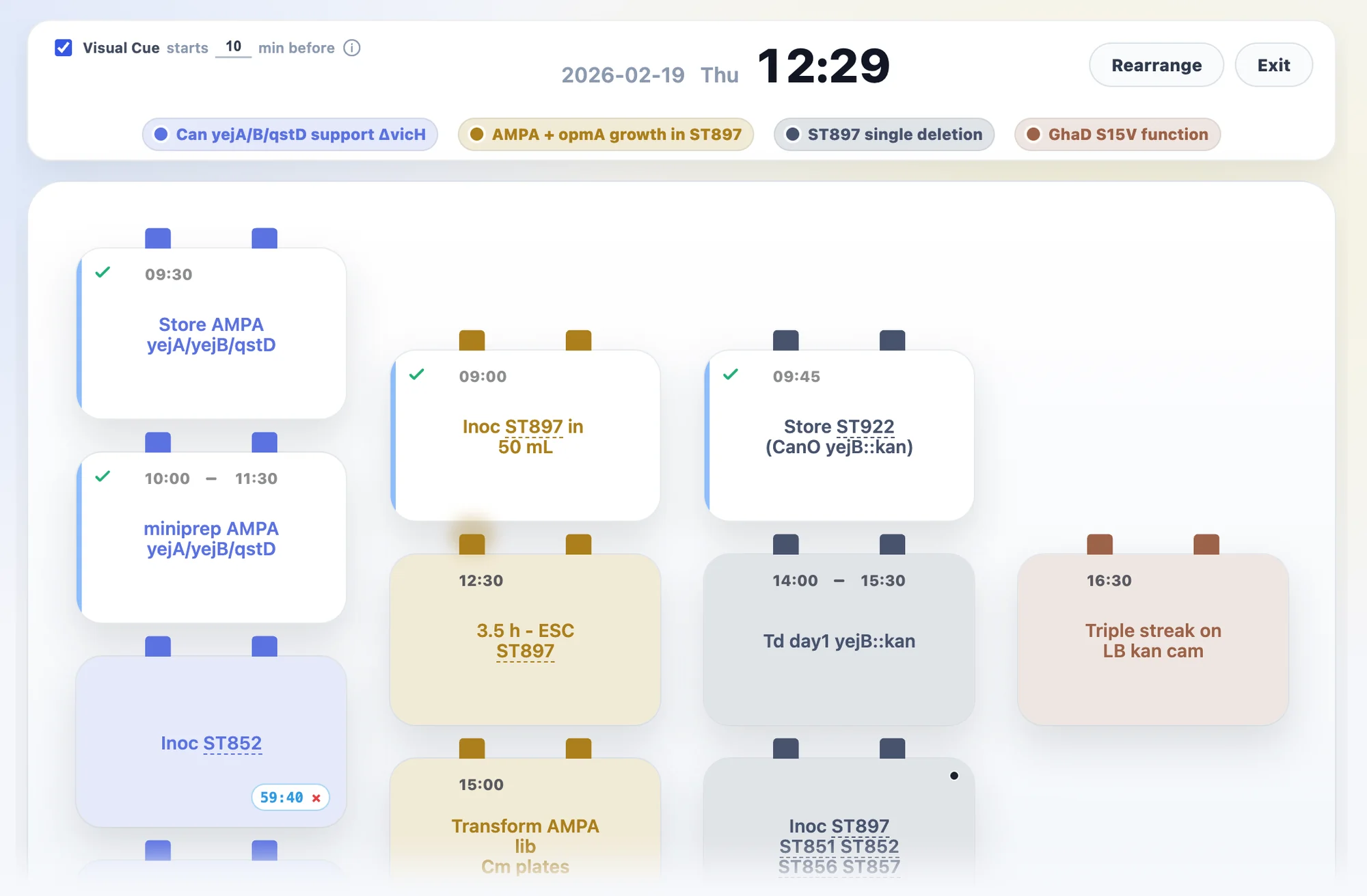
Double-click a day, or press Space for today, to see each task's steps in its own column of cards. Edits stay in sync with the week view.
Optionally set start and end times on any card. Enable visual cues and the card's clip starts pulsing ahead of time, with faster pulses as the scheduled time approaches.
Use notes for what comes up during the experiment—adjustments, issues, and quick notes. Each detail stays with the step it belongs to.
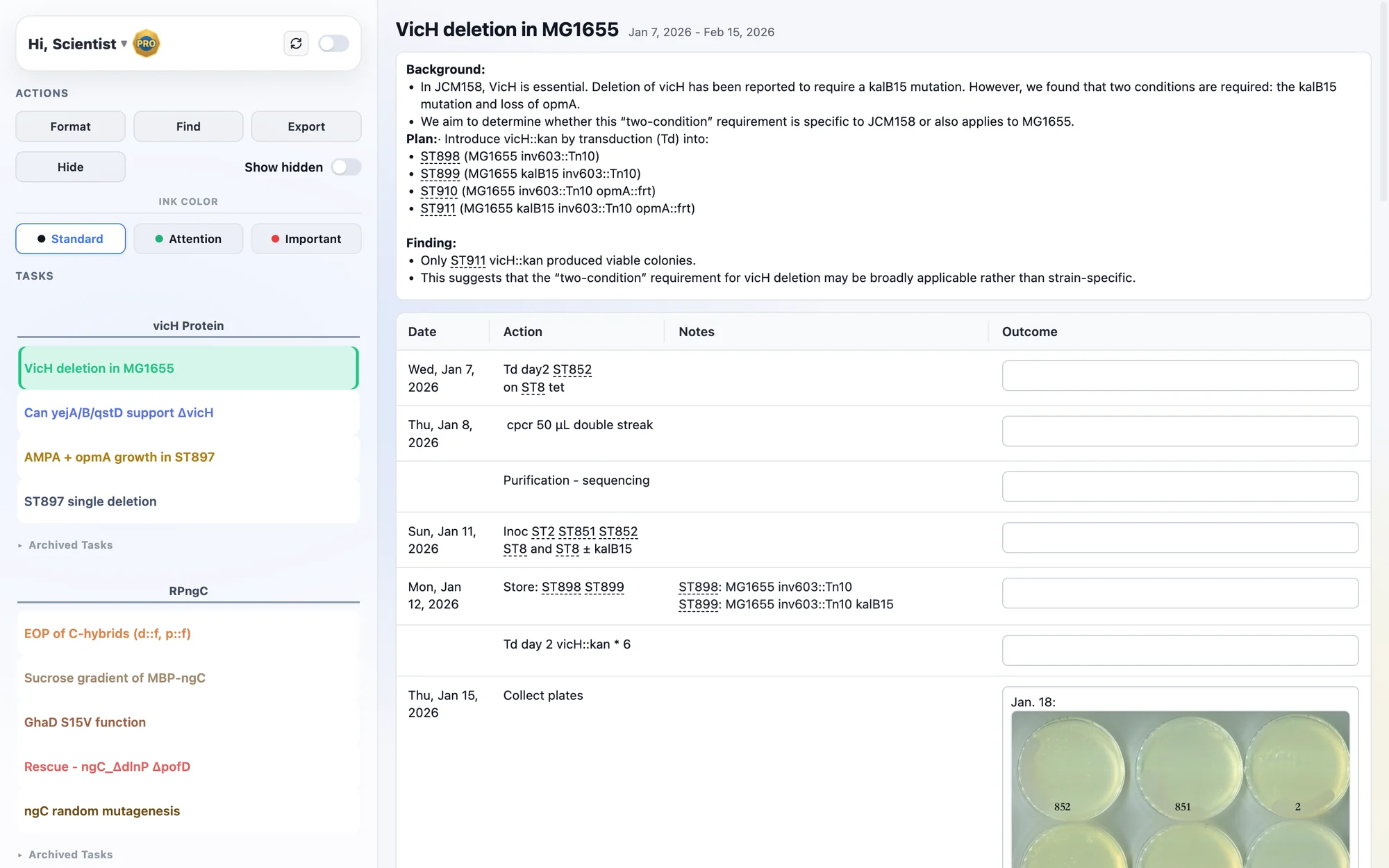
Your plan becomes your record.
Lab Notes groups your records by task, with each task's planned steps arranged by date and notes included. After the experiment, you only add the outcome. Hide failed or repeated steps to keep each task's record clear.
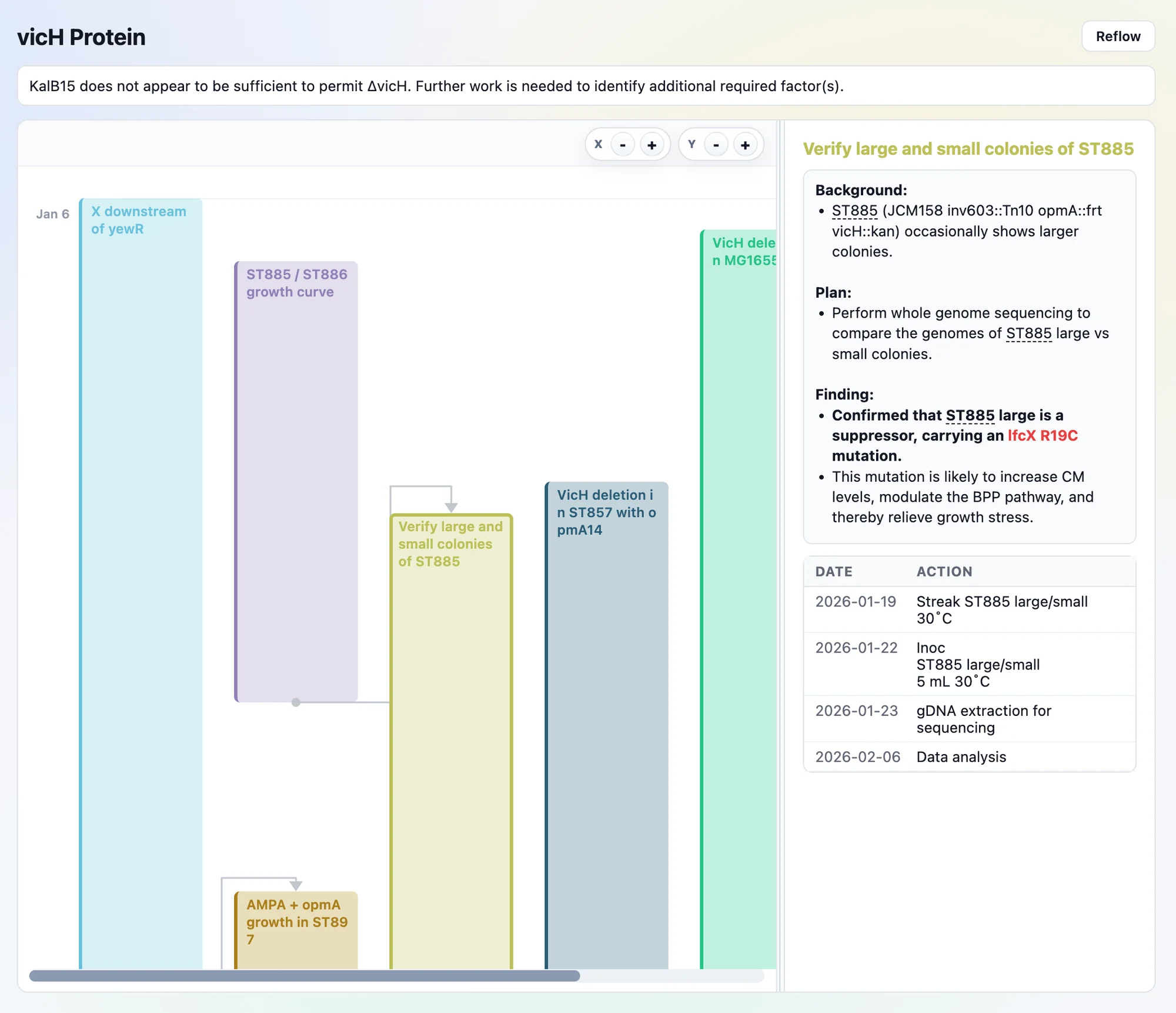
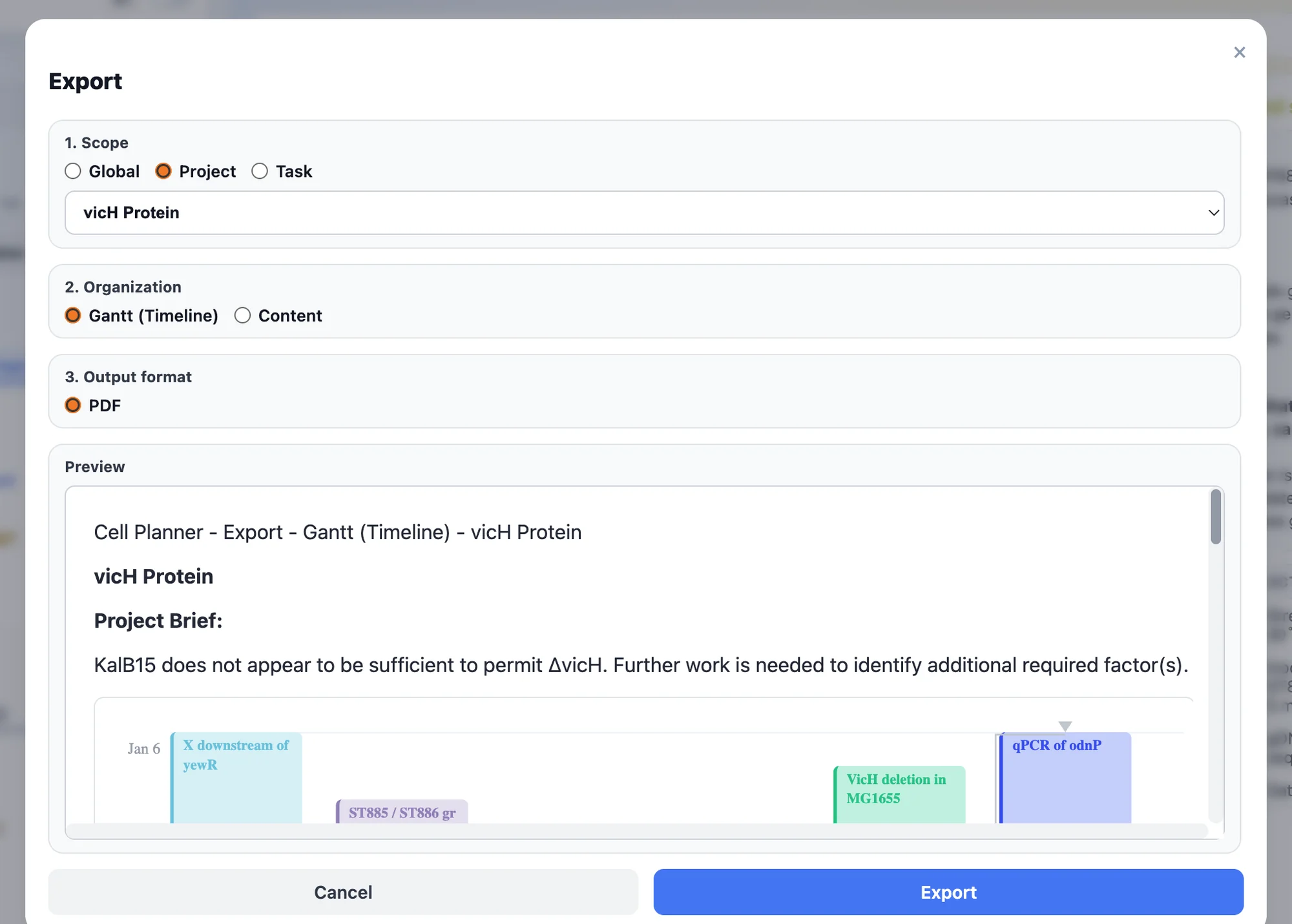
A Gantt view shows how each task leads to the next. Export one task, one project, or everything as PDF or Word.
Tables, protocols, and formulas, wired into your experiments.
Tables
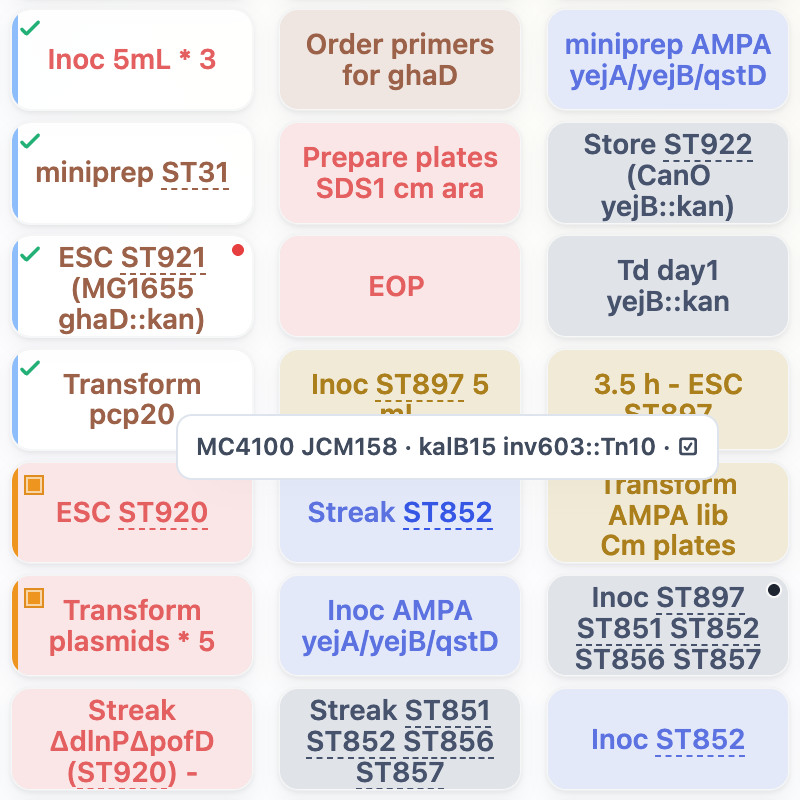
Keep strains, plasmids, primers, and samples in tables. Give a table a short prefix and every record gets an ID. Type that ID in a Planner cell, a Lab Notes entry, or a document, and it becomes a live reference. Hover to see the record.
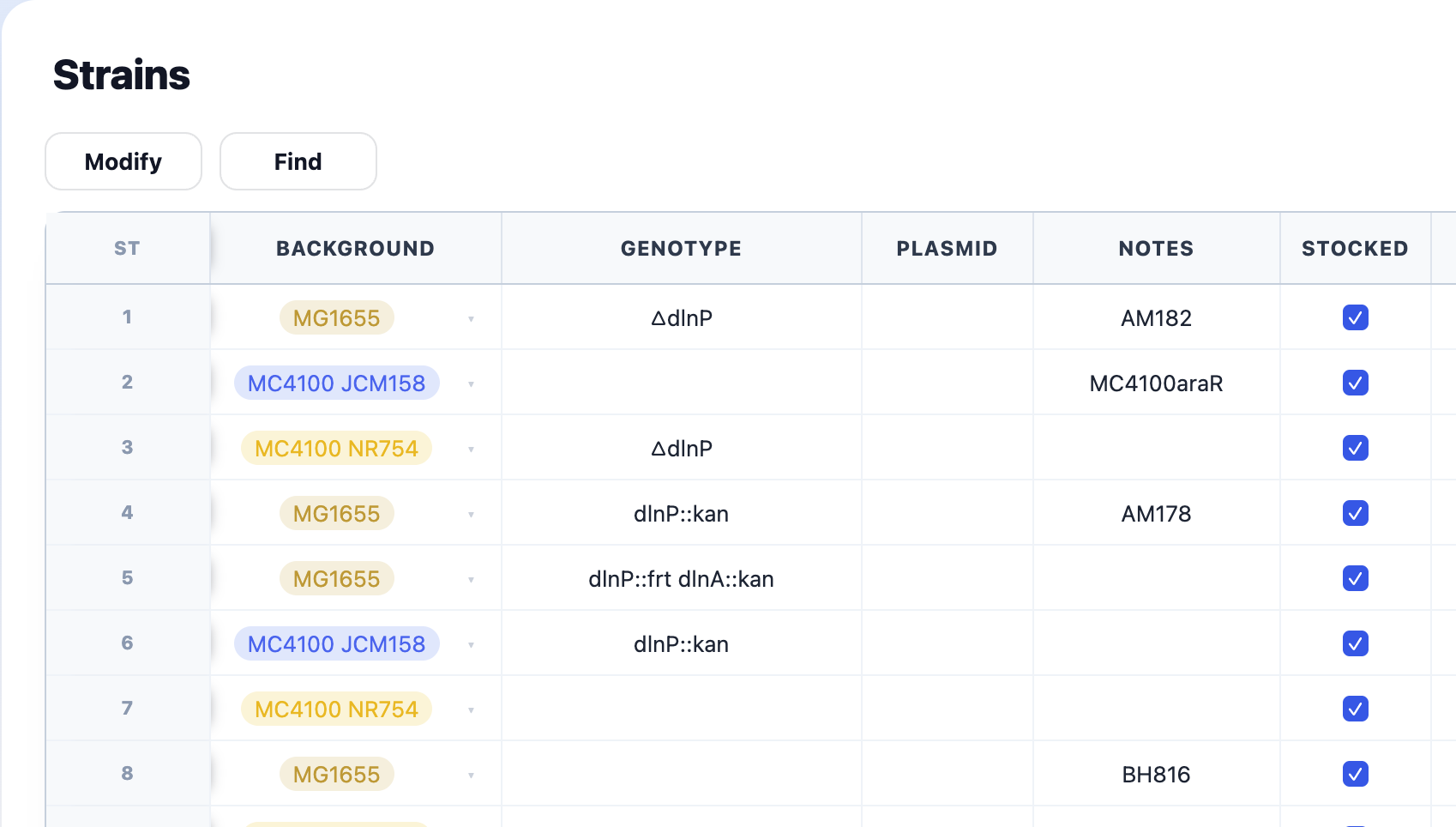
Copy cells in Excel and paste them straight into a table. Export any table to Excel or PDF whenever you need to.
Documents
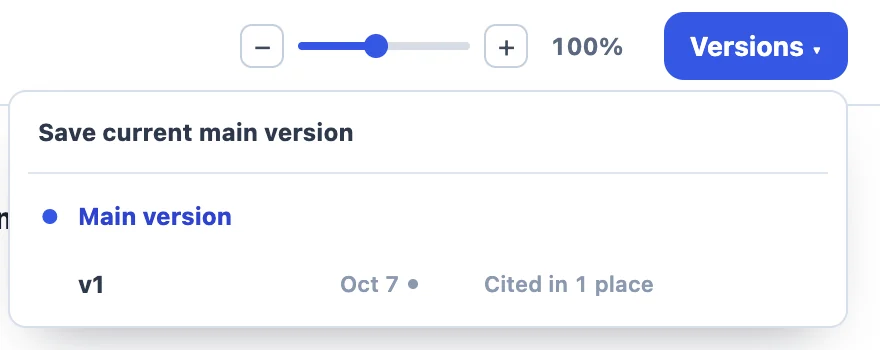
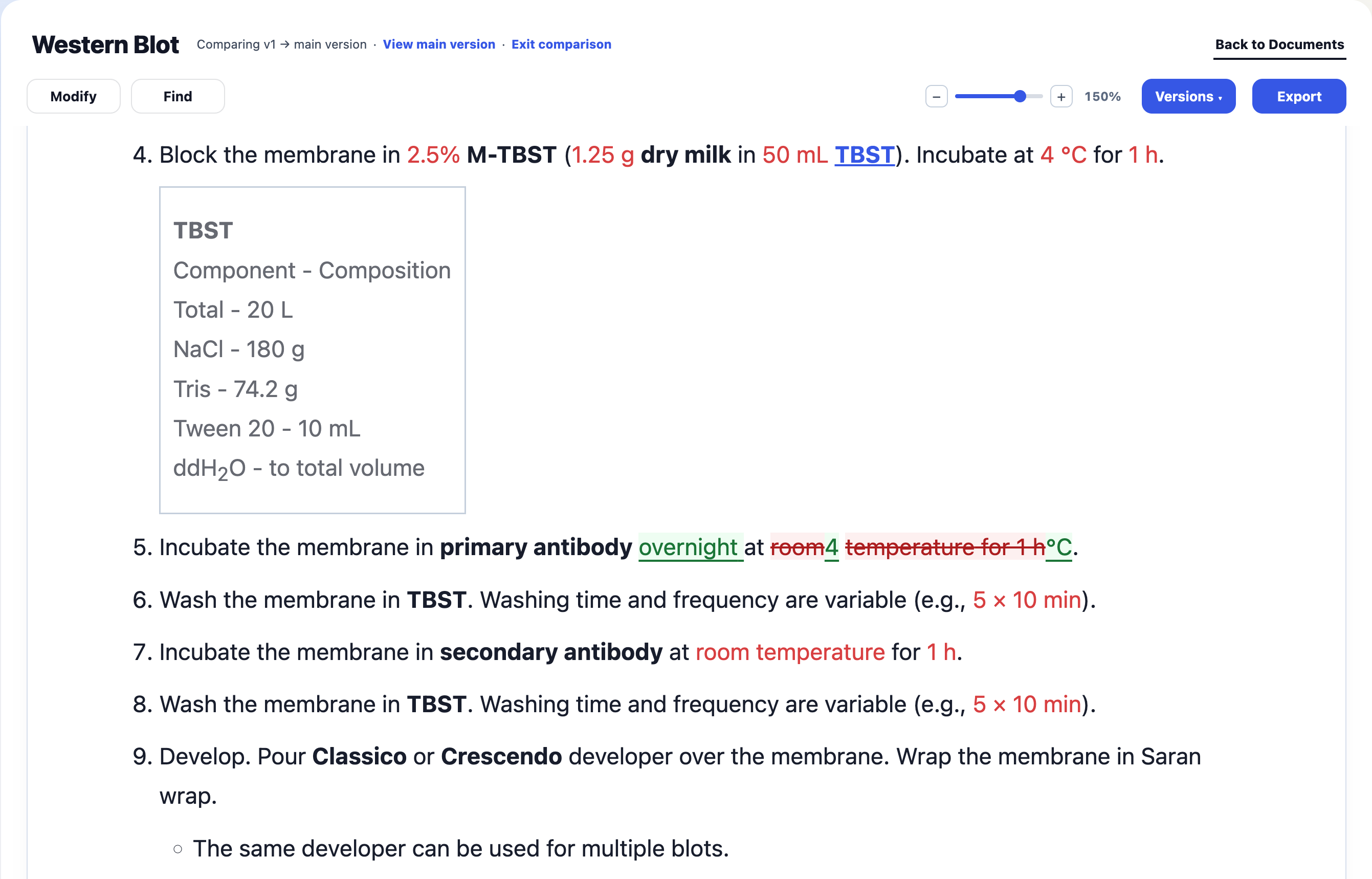
Citing a protocol saves or confirms the version you used, keeping your experiment's reference intact as the main version evolves. See where each version is cited and compare it word by word with the current main version.

Formulas
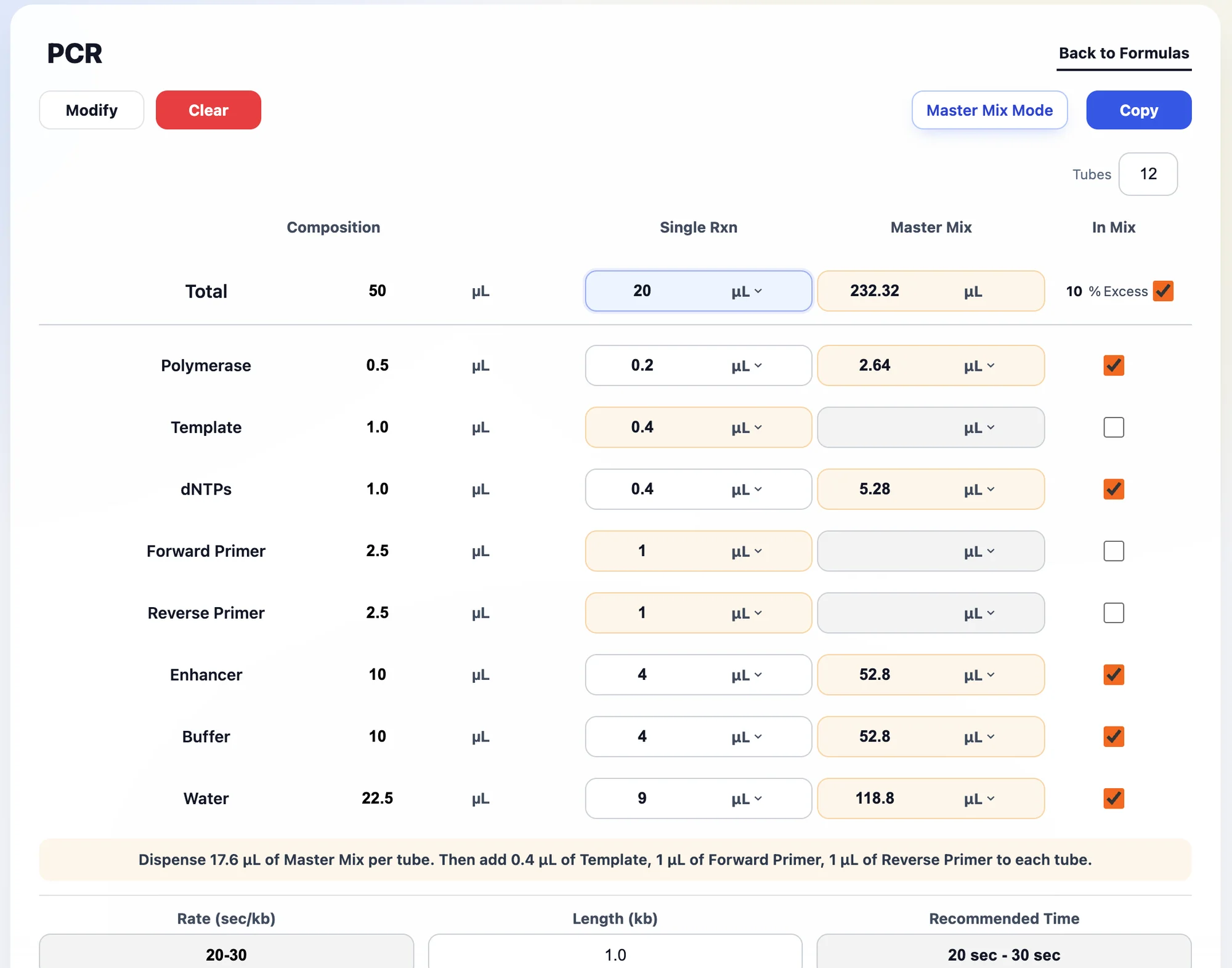
Save a buffer or reaction mix once. Set a new total and every component rescales.
Enter the number of tubes and choose which components go into the master mix. Quantities and per-tube dispensing steps are calculated automatically, with excess included.
Everyday bench math, without the scratch paper.
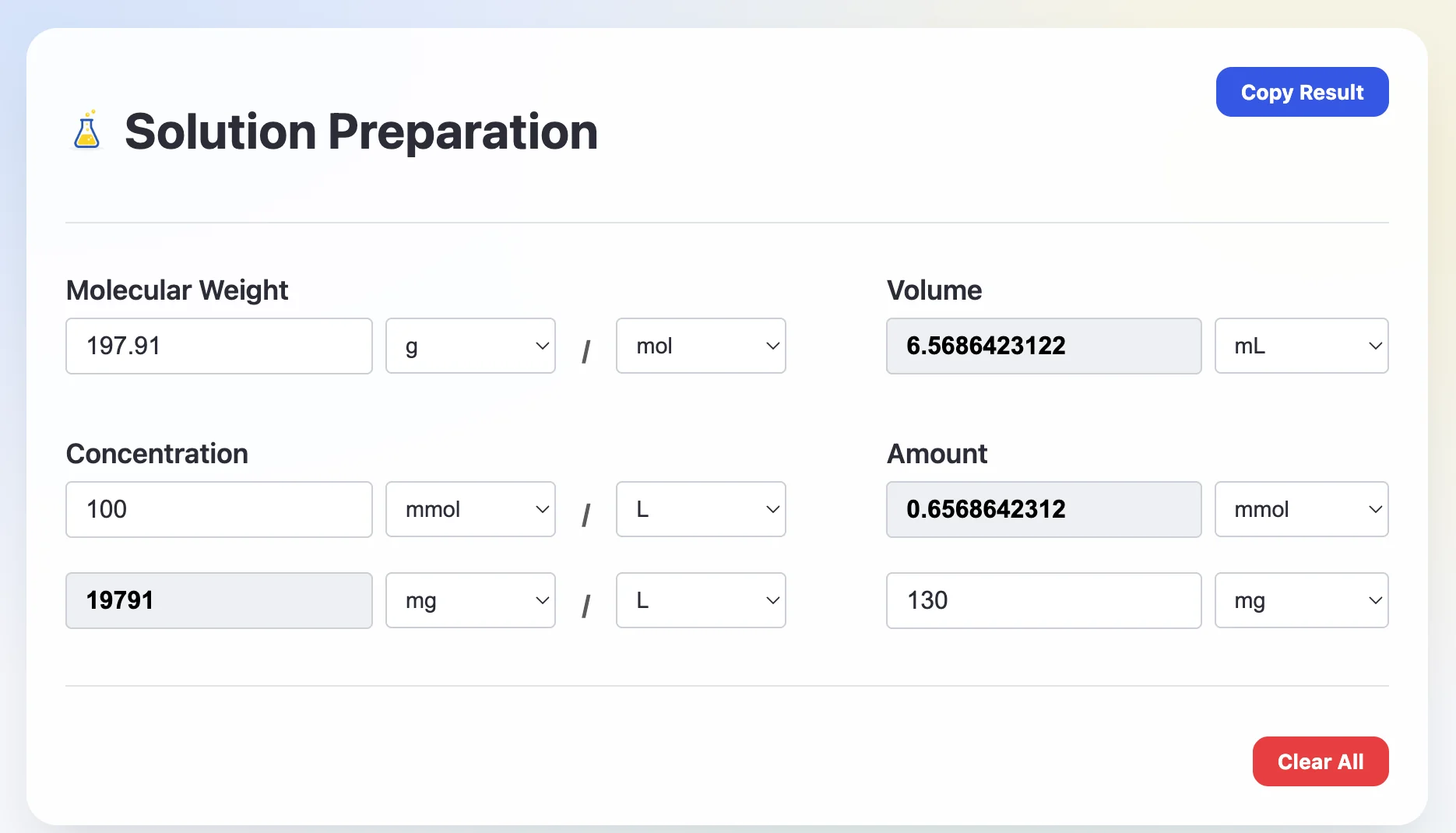
Molecular weight, concentration, volume, amount: fill in whichever you know and the rest appear.
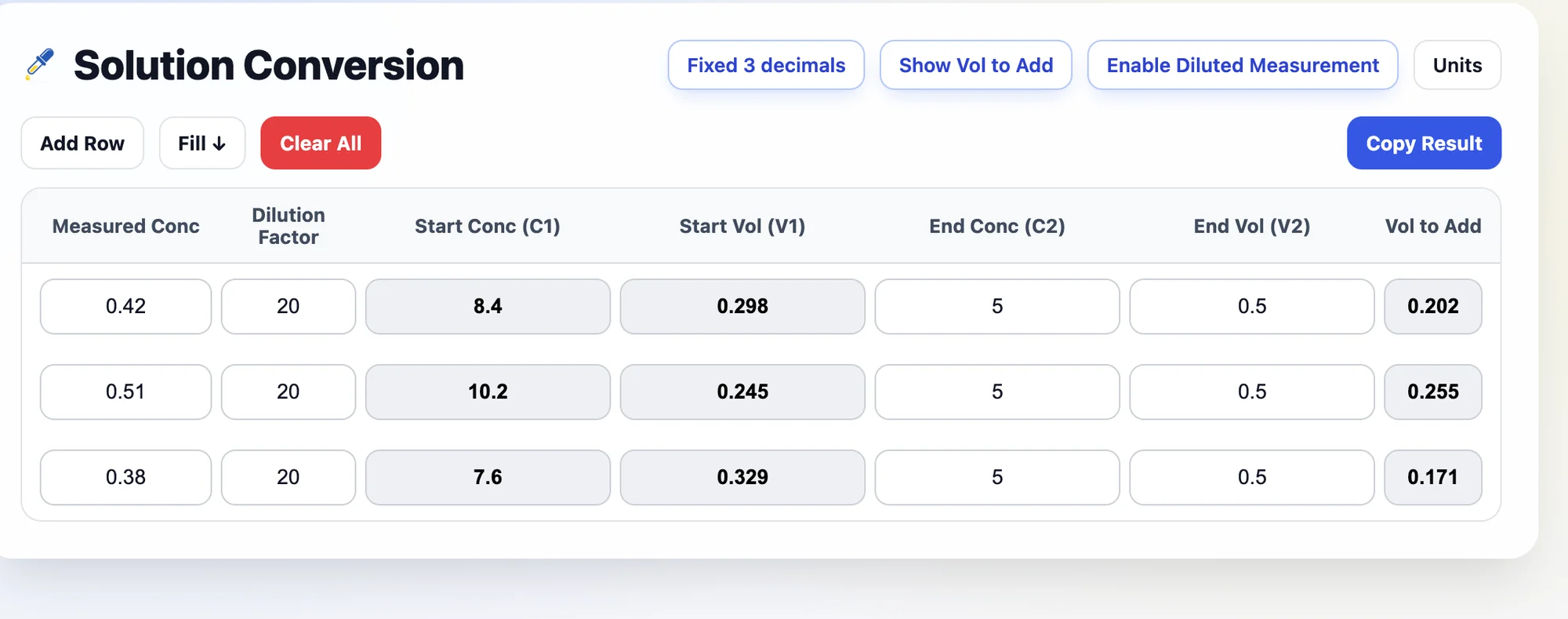
C₁V₁ = C₂V₂ for a whole batch of samples. Enter a reading taken on a diluted sample and it works back to the stock concentration.
Go from steps to total fold, or from a target fold to the steps that reach it.
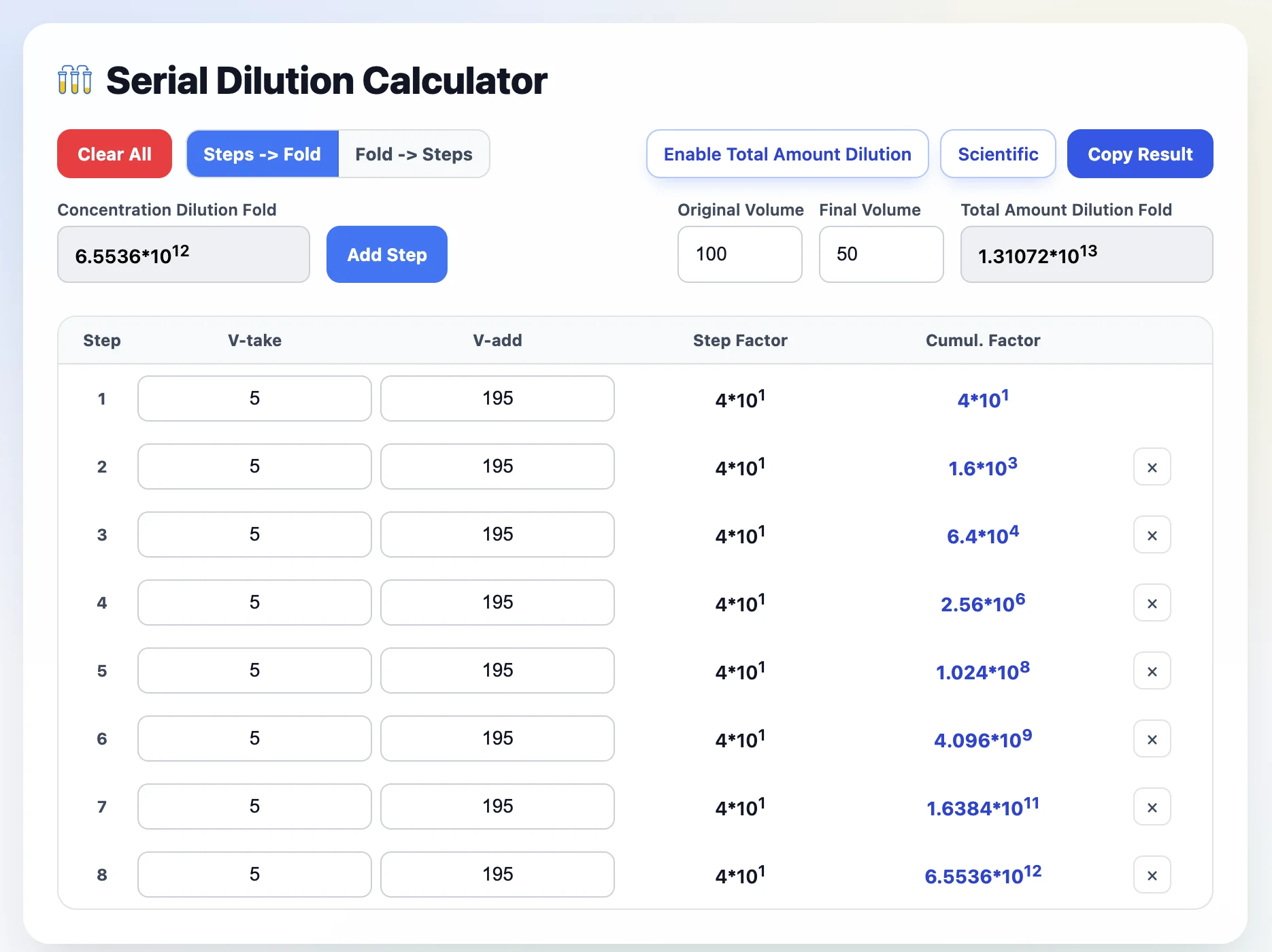
Every result copies as clean plain text, ready to paste anywhere.